We live in a world saturated with wireless connectivity. Wi-Fi is everywhere, from our homes and offices to coffee shops and public transport. And with this constant need for connection comes a persistent question: should you leave your Wi-Fi enabled on your phone all the time, or is it better to switch it off when you’re not using it to conserve battery life? The answer, like most things in the tech world, is a little more nuanced than a simple yes or no.
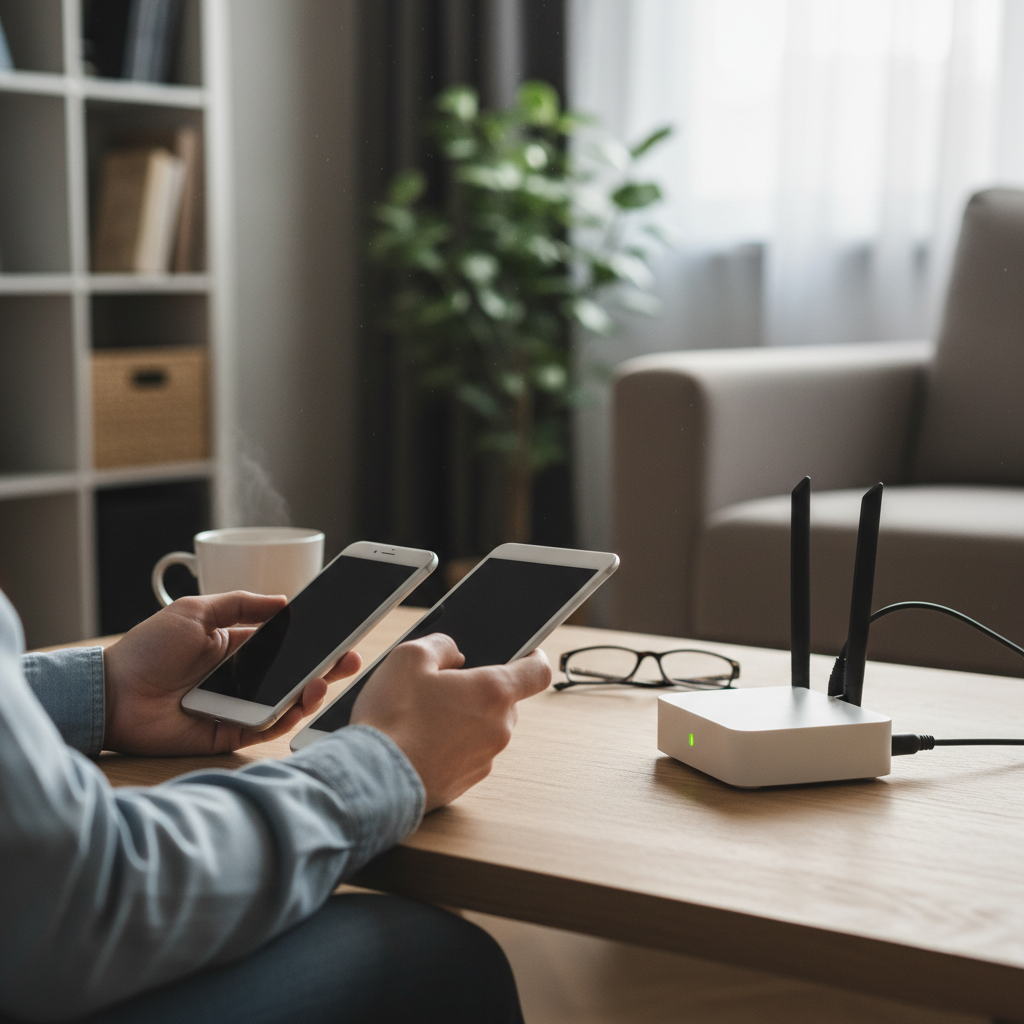
The Belief: Wi-Fi is a Battery Hog
The common belief is straightforward: Wi-Fi, like Bluetooth, is a power-hungry feature. Leaving it on constantly means your phone is perpetually searching for a signal, draining precious battery life in the process. This logic seems sound. After all, anything that requires your phone to actively *do* something, especially something wireless, should consume power, right? The idea that turning off Wi-Fi will significantly extend your battery life has persisted for years, and it makes sense on the surface.
The Origins: When Wi-Fi Was a Battery Drain
To understand why this myth took hold, we need to rewind a bit. In the early days of smartphones and Wi-Fi, the technology was a significant drain on battery life. The older Wi-Fi chips were less efficient, and the constant scanning for networks, even when not connected, did indeed eat up a noticeable chunk of your battery. It’s easy to see how this observation cemented the belief in our collective tech consciousness.
Back then, every little bit of battery saving counted. Remembering to switch off Wi-Fi (and Bluetooth) became a common piece of advice, right up there with dimming your screen and closing unused apps. This was especially true because early smartphones had relatively small batteries compared to what we use today. Every power-saving trick helped.
The Reality: Modern Efficiency
Fast forward to 2026. The technology has changed dramatically. Wi-Fi chips have become incredibly power-efficient. They’re designed to be smart, constantly optimizing their power consumption. When Wi-Fi is enabled, your phone doesn’t just blindly scan for networks. Instead, it utilizes sophisticated algorithms to manage its energy usage. Modern phones are built with low-energy Wi-Fi chips that barely use power when idle.
Here’s how it works in a simplified manner:
- Scanning: When Wi-Fi is on, your phone does periodically scan for networks, but it does so in short bursts. The rest of the time, the Wi-Fi chip is in a low-power “sleep” mode.
- Smart Management: The phone’s operating system (Android, iOS, etc.) is constantly learning your habits. It knows when you’re typically at home or at work and will connect to known networks automatically.
- Efficiency: Even when actively connected to Wi-Fi, the system is designed to manage data transfer efficiently. The phone only “wakes up” the Wi-Fi chip when necessary.
The result? Leaving Wi-Fi on generally has a negligible impact on your battery life. Some tests have shown a difference of perhaps a few percentage points over a full day. In many cases, the convenience of automatic connections outweighs the minor battery drain.
Common Misunderstandings
Several misunderstandings fuel the persistence of this myth:
- “Always-on” implies “always working”: People assume that because Wi-Fi is “on,” it’s constantly searching and using power. This isn’t the case.
- Outdated information: Many people are still operating on information that was true a decade or more ago.
- “Feelings” over facts: It *feels* logical that leaving Wi-Fi on should drain the battery.
What Matters Instead
If you’re truly concerned about maximizing your phone’s battery life in 2026, there are more impactful things to focus on:
- Screen Brightness: Your screen is still the biggest battery drain. Adjust the brightness to a comfortable level.
- Background App Activity: Some apps are more resource-intensive than others. Limit background activity for apps you don’t use frequently.
- Software Updates: Make sure your operating system and apps are up to date. Updates often include battery-optimization improvements.
- Temperature: Extreme temperatures (hot or cold) can affect battery performance. Avoid leaving your phone in direct sunlight or freezing conditions.
- Charging Habits: Avoid letting your battery drain completely to zero regularly. It’s generally better to keep it charged between 20% and 80%.
For more on extending battery life, you can explore the article The Subtle Siren Song of the Always-On Phone: Why We’re Constantly Checking, which touches on how our phone habits can also influence battery usage.
2026 Relevance
In 2026, with even more sophisticated power management in our devices, the idea of turning off Wi-Fi to save battery is even less relevant. Wi-Fi is essential for many of our daily activities, from streaming video to accessing cloud storage. The minimal battery savings gained by turning it off simply aren’t worth the inconvenience for most users.
Clear Takeaway
The “always-on Wi-Fi” myth is largely outdated. Modern smartphones are designed to manage Wi-Fi efficiently. While there’s a small power cost to keeping it on, the convenience of automatic connections and the negligible impact on battery life make it a non-issue for most people. Focus your efforts on the factors that truly affect battery life, such as screen brightness and app usage, rather than obsessing over Wi-Fi.
Frequently Asked Questions
Here are some of the most common questions on this topic:
Q: Does turning off Wi-Fi *ever* save battery?
A: Yes, in certain situations, such as when you’re in an area with extremely poor Wi-Fi reception. In this case, your phone might be working harder to find a signal, which could consume more power. In most everyday scenarios, however, the difference is minimal.
Q: Should I turn off Wi-Fi on public networks?
A: Yes, although not for battery-saving reasons. It’s more about security. Public Wi-Fi networks, even those with passwords, can be less secure. Consider using a VPN (Virtual Private Network) for added security when using public Wi-Fi.
Q: Does turning off Bluetooth also save battery?
A: The same principles apply to Bluetooth. Modern Bluetooth chips are also power-efficient. However, if you’re not using Bluetooth, it’s generally a good idea to turn it off, as it’s less necessary and more of a risk.
Q: What about cellular data? Does it drain battery more than Wi-Fi?
A: Cellular data, in general, can be a bigger drain on the battery than Wi-Fi, especially if you have a weak cellular signal. Your phone has to work harder to maintain a connection. Wi-Fi is usually more efficient when available.
Q: Are there any apps that drain more battery when Wi-Fi is enabled?
A: Some apps are more demanding than others. Apps that stream video, download large files, or constantly sync data can consume more power when using Wi-Fi. However, it’s the app itself that’s the culprit, not necessarily the Wi-Fi connection.
Q: Will turning off Wi-Fi help my older phone?
A: Maybe, but the effect will still be minimal. Older phones may have slightly less efficient Wi-Fi chips, but the overall impact on battery life is still likely to be small. The age of the battery itself is likely to be a bigger factor.
Q: Is it okay to leave my phone plugged in all night?
A: Modern smartphones are designed to prevent overcharging. They stop charging when they reach 100%. While leaving your phone plugged in all night is generally safe, it’s not ideal for battery longevity. Frequent and long-term exposure to high temperatures can degrade your battery. Unplugging your phone before bed or using a smart plug can help.
This article is brought to you by Josephs Well.